
Divide it before you spend.
So you never overspend.
Toriwake sets your income aside by purpose first, so what's left is always one glance away — and the end of the month never surprises you.
iPhone & Android · 9 languages
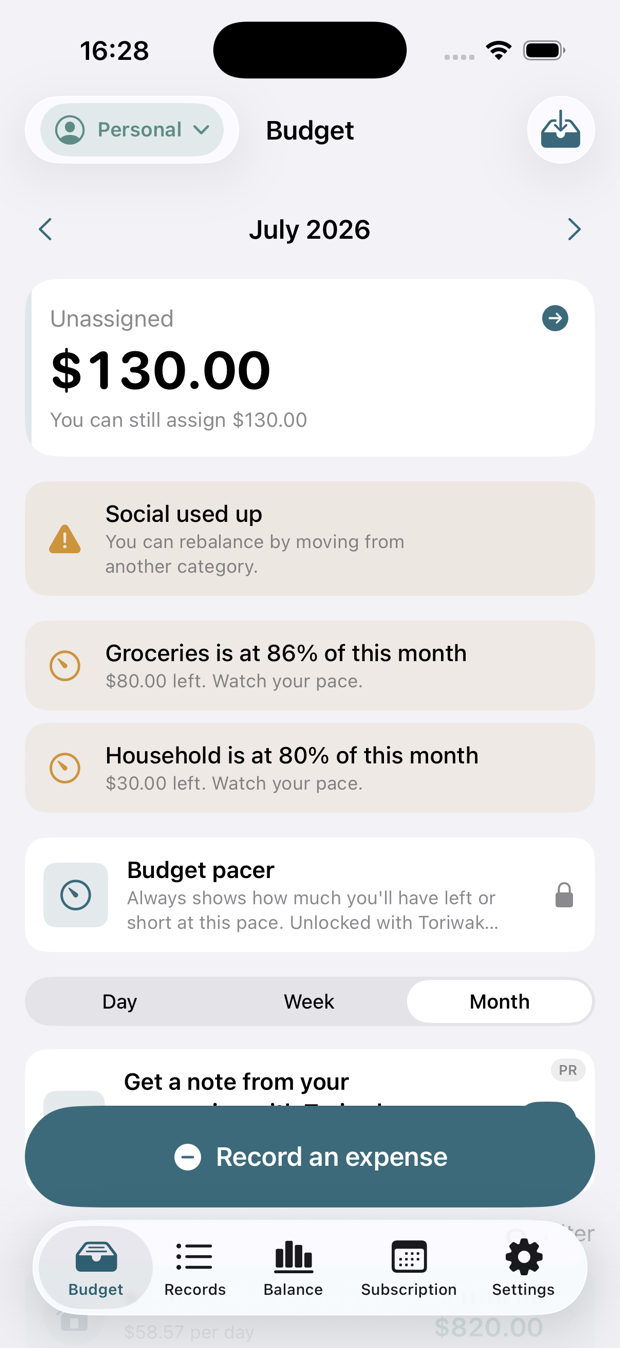
Assign it first
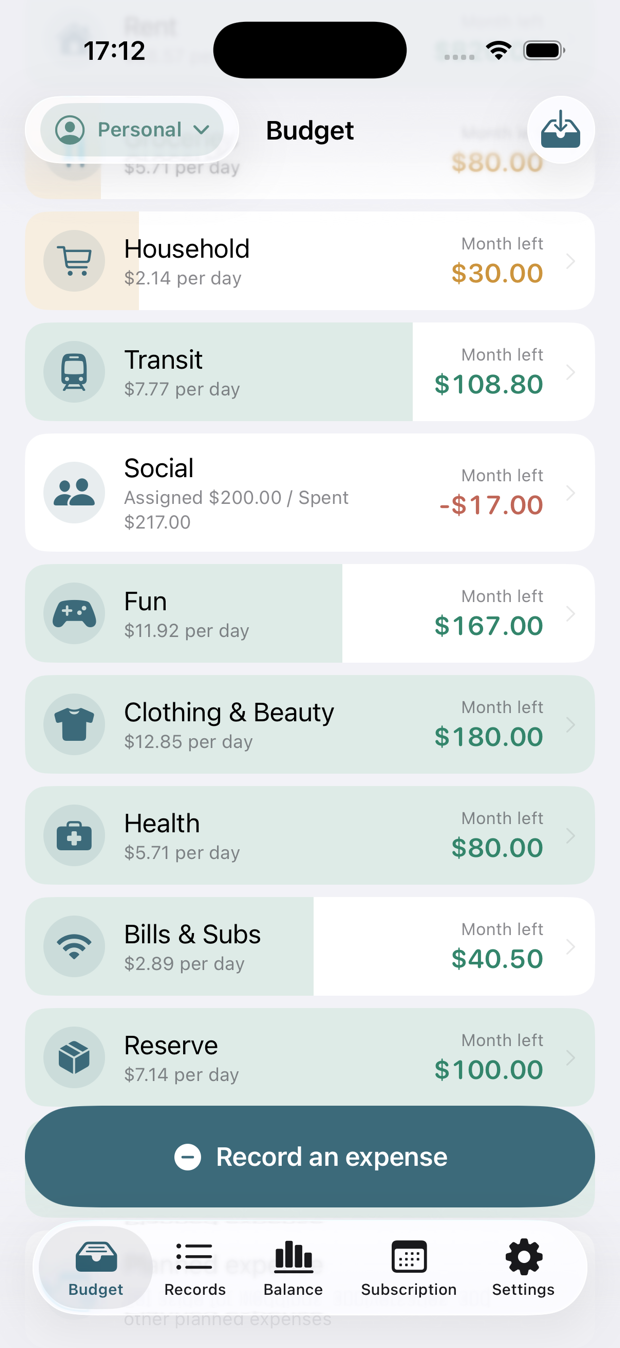
Split your income by purpose at the start of the month. What you can spend is crystal clear.
Always know what's left
See today's, this week's, and this month's balance right on your home screen.
Your data stays yours
Stored only on your device and your own iCloud. Never sent to us or anyone else, and no tracking.
Subscriptions in one place
Track recurring bills and fixed costs on a clear monthly calendar.
Stop overspending — by design.
Not willpower, just a better view of your money. Here's what makes Toriwake work.
Split your money by purpose, before you spend.
At the start of the month, divide your income into envelopes like Groceries and Household. Empty envelopes get no money — a simple envelope method that stops overspending at the source.
- See what's left to assign at a glance
- Move freely between categories
- Save your monthly plan as a template
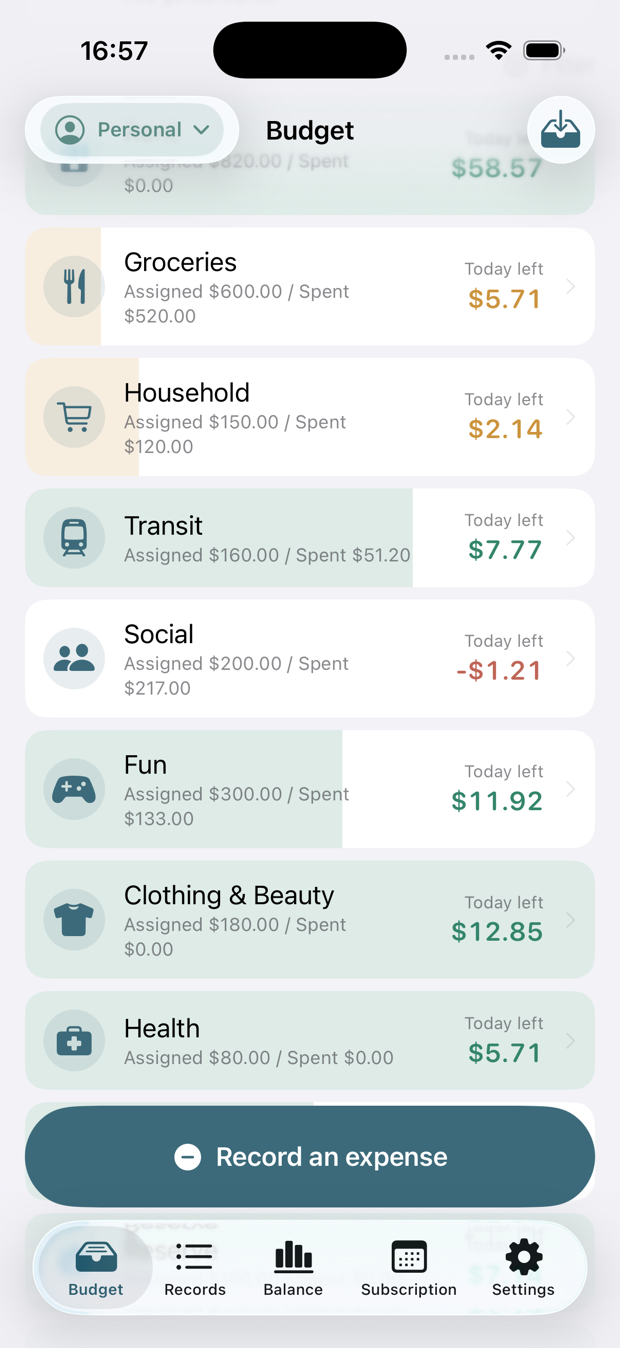
Instantly answer “how much can I spend today?”
Your monthly budget, paced by the day. Overshoot one day and it quietly adjusts the next. No angry red alerts — just the facts, calmly.
- Switch between day / week / month
- Automatic pacing math
- Never scolds you for going over
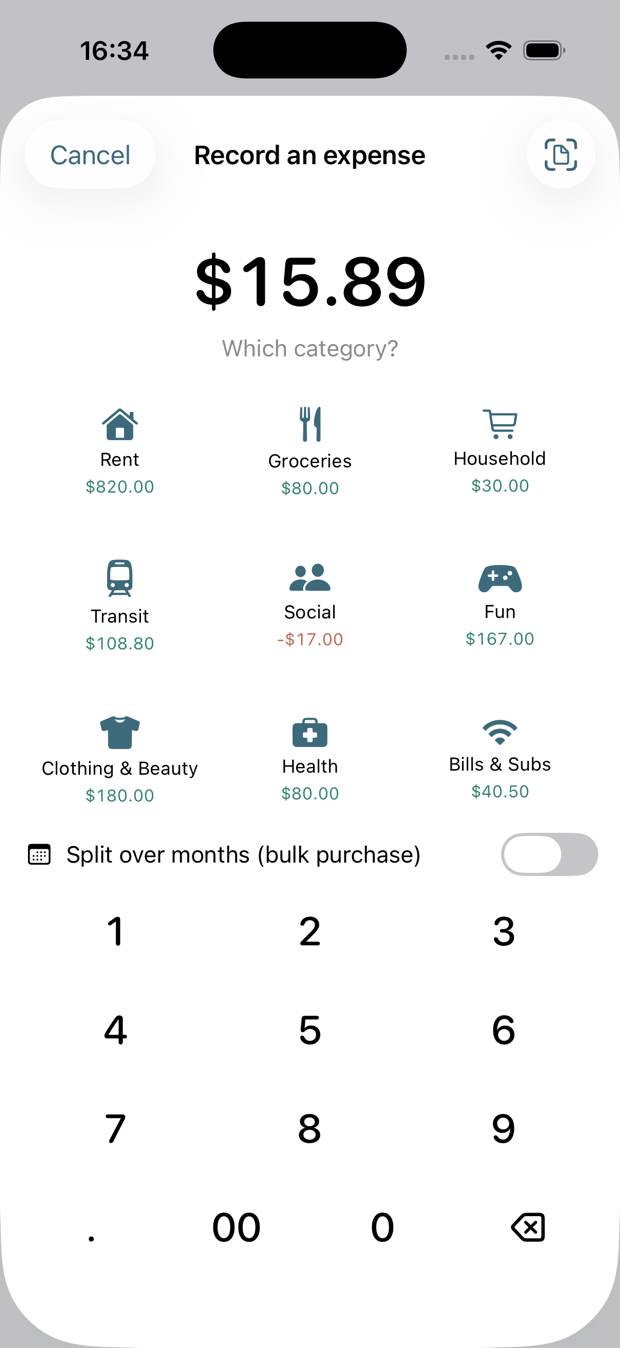
Enter an amount, tap to assign. Done.
Logging an expense takes a couple of taps. Works with Siri, a home-screen widget, and receipt scanning (OCR) — light enough to actually keep up.
- Log by voice with Siri
- Home-screen widget
- Scan receipts & screenshots
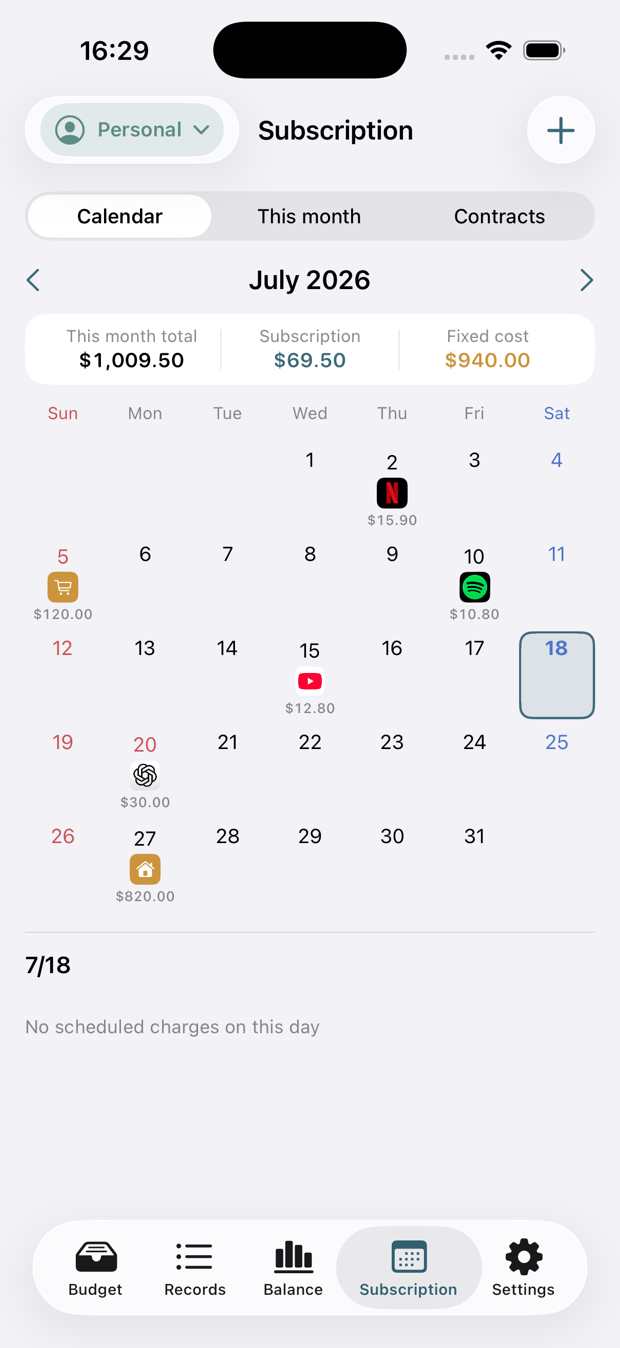
Every subscription and fixed cost, at a glance.
Pick from major services and the monthly charge is added for you. See billing dates on a monthly calendar so subscriptions never creep up on you.
- Billing dates on a calendar
- Fixed costs included
- Monthly total, added up automatically
See where your money went, month by month.
Budget vs. actual for every category, side by side. Spot your habits so next month's plan almost writes itself.
- Budget vs. actual per category
- Compare with last month
- Feeds next month's plan
Genuinely useful for free.
The core stays free forever. Toriwake+ adds tools that make it even easier to keep going.
| Feature | Free | Toriwake+from $0.99/mo |
|---|---|---|
| Envelope budgeting | ✓ | ✓ |
| Quick expense logging | ✓ | ✓ |
| Log via Siri & widget | ✓ | ✓ |
| Subscription & bill tracking | ✓ | ✓ |
| Balance for today / week / month | ✓ | ✓ |
| Receipt & screenshot OCR | △10 / month | ✓ |
| Number of categories | △up to 10 | ✓ |
| Budget pacer (look-ahead) | – | ✓ |
| Multiple profiles · share with a partner | – | ✓ |
| No ads | – | ✓ |
| Auto-categorization rules | – | ✓ |
| Per-category alerts | – | ✓ |
| PDF / CSV export | – | ✓ |
| Yearly pattern analysis | – | ✓ |
| On-device AI insights | – | ✓ |
| All theme colors | △some | ✓ |
Simple pricing.
Start free. Upgrade to Toriwake+ whenever you're ready.
Free
- Envelope budgeting
- Logging · Siri · widget
- Subscription & bill tracking
- Receipt OCR (10 / month)
Toriwake+
- Everything in Free
- Budget pacer (look-ahead)
- Share with family or a partner · no promo banner
- Unlimited OCR & categories
- Exports · AI insights
Frequently asked questions
Is it usable for free?
Yes. Core features — envelope budgeting, expense logging, subscription tracking — are free. Toriwake+ is an optional upgrade.
Where is my data stored?
Only on your device and in your own iCloud. No account, no bank connection, and nothing is sent to our servers or any third party.
How do I cancel Toriwake+?
On your iPhone, go to Settings → your name → Subscriptions to cancel anytime. The yearly plan starts with a free month.
Can I move to a new phone?
Sign in with the same Apple ID and your data comes over to your new iPhone from iCloud automatically — on the free plan too.
Is receipt scanning safe?
Yes. Scanning (OCR) is processed on your device and images are never uploaded.
Start spending with a plan.
Toriwake is now available for iPhone & Android. Try it free and change the way you see your money.


App Store · Google Play · 9 languages